How to Migrate Your Agency Portfolio Off Spreadsheets (Without Losing a Tenancy)
Plenty of Irish lettings agencies still run on a stack of spreadsheets — a rent roll here, a compliance tracker there, dates scattered across tabs nobody fully trusts. It works, right up until it doesn't: one missed RTB renewal across dozens of landlord clients is a professional-liability problem, not a typo. This is the step-by-step playbook for moving onto proper software without losing a single tenancy or compliance date on the way.

The short version
- Spreadsheets don't fail loudly — they fail silently, when a renewal date sits in a column nobody opened. Across many landlord clients, that's the real risk.
- There are two ways to move, and you choose.
Option A — done for you, free: the TenantSync engineering team migrates your whole portfolio in one short run from spreadsheets, Letman or another letting platform — no data cleaning on your side.
Option B — do it yourself: use our customer import tooling and follow the six-step playbook below. - Either way the goal is the same — not losing a single tenancy or RTB date — and a typical agency is live in days, with the old sheets kept as a read-only archive.
"Without losing a tenancy" is the whole point. If you'd rather not lift a finger, we'll do the migration for you for free. If you like being hands-on, the self-service playbook below is built around protecting the data that matters most — your RTB dates — at every step.
Two ways to migrate (and you choose)
There's no single "right" way to move — it depends on how hands-on you want to be. Both routes are designed around the same promise: not losing a tenancy or an RTB date.
Option A — Done for you, free
Our engineering team migrates your whole portfolio for free if you'd like us to. We have tooling that imports it in one short run — straight from your spreadsheets, Letman, or another letting software provider. No data cleaning on your side: you hand over your export, we do the rest and validate the RTB dates with you.
Option B — Do it yourself
Prefer to stay hands-on? Use the same self-service import tooling in your TenantSync account and follow the six-step playbook below. You're in full control, and our team is on hand if you get stuck.
Which should you pick?
Most agencies take Option A — it's free, it's faster, and there's nothing to clean or reformat first. Choose Option B if you'd rather drive the move yourself, want to tidy your data as you go, or are migrating a small portfolio you know inside out. You can also mix the two: let us bulk-import everything, then manage day to day yourself.
Want us to migrate your portfolio for free?
Send us an export from your spreadsheets, Letman or current software and our team will migrate your whole portfolio in one short run — no cleaning needed, RTB dates validated with you.
The rest of this guide walks through Option B — the self-service route, step by step. If you're taking Option A, skim it anyway: it's a useful picture of exactly what we'll do on your behalf.
Before the DIY route: what "without losing a tenancy" means
The goal isn't just to copy data into new software. It's to come out the other side with every tenancy intact and every compliance date live — ideally more visible than it was before. Two principles make that happen:
- Protect the dates first. The most valuable thing in your spreadsheets isn't the rent figure — it's the RTB registration date, the renewal date and the date of the last rent review. Treat these as the crown jewels of the migration.
- Run in parallel for one cycle. Don't delete the spreadsheets on day one. Keep them as a read-only reference for one full rent cycle while the software becomes your system of record, then archive them.
What to have ready before you begin
Per tenancy: the landlord client it belongs to, the property/unit address, tenant names and contacts, lease start date and term, the current rent and frequency, the RTB registration and last renewal dates, the date of the last rent review, and the bank account rent is paid into. If you have these, you have everything the import needs.
Option B: the 6-step DIY migration playbook
This is the self-service route, using TenantSync's customer import tooling. Work through the steps in order — each one protects the one before it, which is how you avoid losing anything that matters. (Taking the free done-for-you route instead? This is the same sequence our engineering team runs for you.)
Step 1 — Audit your portfolio data
Before you move anything, find everything. List every landlord client, and under each, every property, unit and tenancy. Pull in the data that lives outside the main rent roll too — the compliance tracker, the inbox folder, the paper lease in the drawer. The output of this step is a single inventory: this is what has to move. Most agencies are surprised how much lives in one person's head; this is where it gets written down.
Step 2 — Clean and standardise tenant, lease and rent data
Dirty data is the number-one cause of a painful import. Standardise to one row per tenancy, with consistent date formats (pick one — ideally YYYY-MM-DD), a single rent figure and frequency, and no duplicate or half-finished rows. Resolve the contradictions now, on your terms, rather than discovering them mid-import. This is the step that takes real effort — and the step that makes everything after it easy.
Step 3 — Import via CSV or direct Letman import
Now bring the data in. Good software imports a cleaned spreadsheet via CSV, mapping your columns to the right fields, so properties, units, tenancies, leases and rent details land without rekeying. If you're coming from Letman rather than raw spreadsheets, a direct Letman import moves the structured data across in one go. Import a small batch first, confirm it looks right, then run the rest.
Step 4 — Validate RTB registration, renewal and Part 4 dates
This is the "without losing a tenancy" step. Go tenancy by tenancy (or batch by batch) and confirm the RTB registration date, the annual renewal date and any Part 4 milestones came across correctly. In TenantSync, the 30-day registration deadline is then computed automatically from the tenancy start date, and renewals and Part 4 rights become tracked, colour-coded reminders rather than cells you have to remember to check.
Step 5 — Run your first bank reconciliation
With tenancies and rent imported, connect the agency or client bank account via Open Banking (AIB, Bank of Ireland, PTSB, EBS, Revolut, N26, Wise). Recent rent payments auto-match to the right tenancy, and any arrears surface immediately. Running this once during onboarding proves the data is right — if rent matches cleanly, your tenancies and amounts imported correctly.
Step 6 — Roll out to your team
Finally, make it the system of record. Set user roles for administrators, negotiators and the principal, agree the daily workflow (who registers, who reconciles, who reports to landlords), and switch the team over. Keep the spreadsheets read-only for one rent cycle as a safety net, then archive them. From here, the software reminds you — not the other way around.
Get a free migration plan for your portfolio
Tell us your portfolio size and where your data lives today (spreadsheets, Letman, or both), and we'll map a step-by-step migration that doesn't lose a tenancy — and show you the import running on your own data.
What it actually takes (a realistic timeline)
Agencies put this off because they imagine weeks of disruption. In practice, on the DIY route the time is concentrated in one place — cleaning your data — and the rest is quick. (On the free done-for-you route, that cleaning step is on us, so your own effort is essentially just sending the export and confirming the RTB dates.)
| Step | Effort | Typical time |
|---|---|---|
| 1. Audit your data | Gathering & listing | A few hours |
| 2. Clean & standardise | The real work | Half a day to ~2 days |
| 3. Import (CSV / Letman) | Fast, guided | Under an hour |
| 4. Validate RTB dates | Careful check | An hour or two |
| 5. First reconciliation | Connect & confirm | Same session |
| 6. Team rollout | Roles & workflow | One rent cycle in parallel |
Net: a typical small or medium agency can be importing, validating and reconciling within a single guided session, then runs in parallel for one cycle before going all-in. The calendar time is mostly your data-cleaning pace, not the software.
Common migration mistakes to avoid
The five that cause pain
- Importing dirty data. Skipping the cleaning step turns a one-hour import into a week of fixing records afterwards. Clean first.
- Not validating RTB dates. The whole point is to keep compliance intact — confirm registration, renewal and rent-review dates explicitly, don't assume.
- Deleting the spreadsheets too soon. Keep them read-only for one rent cycle as a safety net.
- Migrating everything in one big bang. Import a small batch, confirm it's right, then scale — far easier to catch a mapping error early.
- Doing it entirely solo. A guided, done-with-you first session catches the compliance-critical details a blank screen won't.
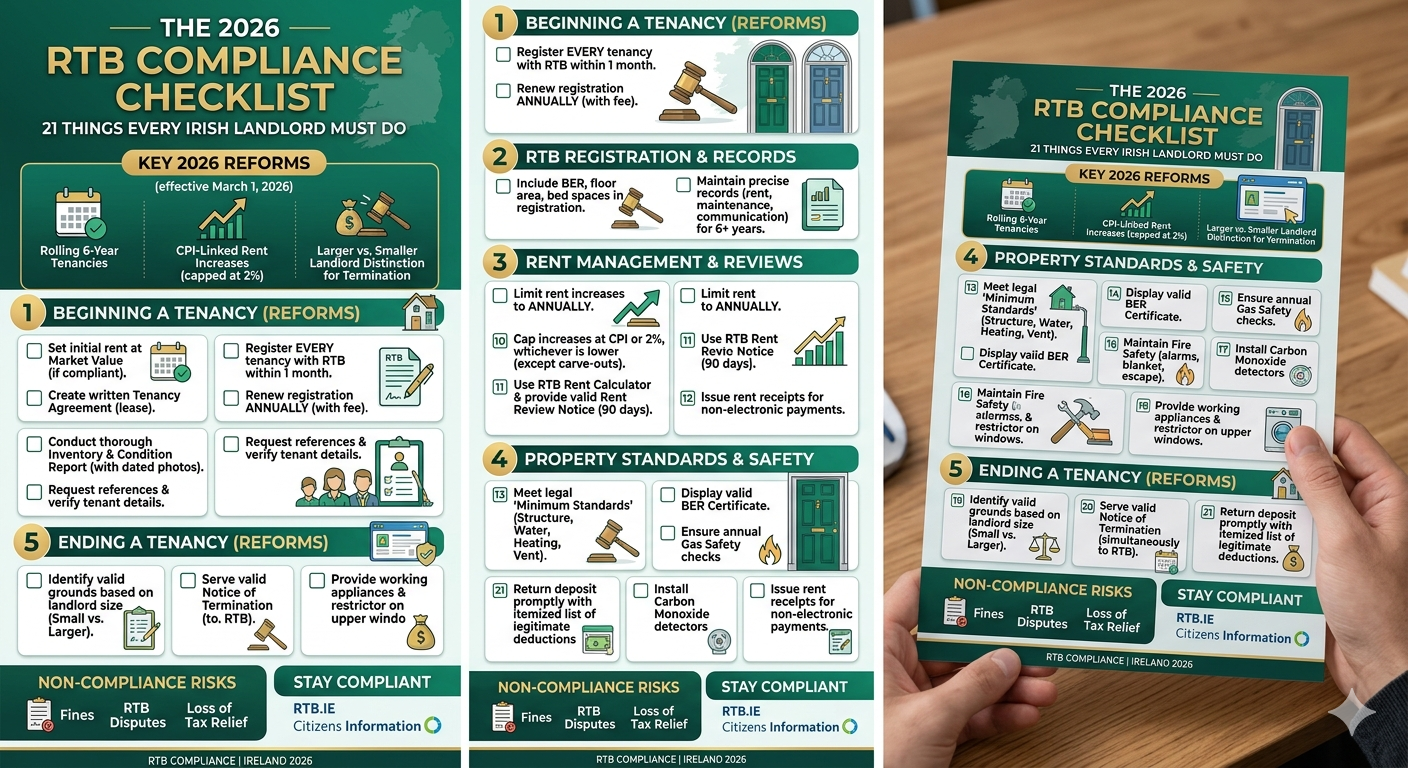
Avoid these five and the move is genuinely low-risk. If you're still weighing software against staying manual (or against using an agent at all), our guide on self-managing versus using a letting agent and the 2026 RTB compliance checklist are useful companions — the checklist doubles as an audit of what your spreadsheets should be tracking today.
How TenantSync makes the move off spreadsheets easy
TenantSync is built for Irish lettings agencies, and migration is designed to be the easy part — not a barrier. Here's what does the heavy lifting:
Free done-for-you migration
If you'd like, our engineering team migrates your whole portfolio for free, in one short run, straight from spreadsheets, Letman or another platform — no data cleaning needed on your side.
Self-service CSV & Letman import
Prefer to do it yourself? Bring properties, units, tenancies, leases and rent details across from a spreadsheet or directly from Letman — column-mapped, no rekeying.
RTB dates become live reminders
Registration deadlines (computed from the tenancy start), annual renewals and Part 4 milestones turn into colour-coded reminders on a portfolio-wide compliance dashboard.
Open Banking reconciliation
Connect the bank account and incoming rent auto-matches to the right tenancy across AIB, BOI, PTSB, EBS, Revolut, N26 and Wise. Arrears surface the day they happen.
National rent-cap calculator
Once your tenancies are in, every rent review is checked against the national cap (2% or CPI, whichever is lower), with the rule and figure shown — so reviews are defensible.
Per-client reporting from day one
As soon as the data's in, one-click landlord reports and agency/branch scoping make your first post-migration review meeting look effortless.
See your own spreadsheet imported live
Bring a sample of your rent roll to a 15-minute session: we'll import it, validate the RTB dates, and reconcile a month of rent — so you can see exactly how the move would go before you commit.
Frequently asked questions
How do I move my letting agency off spreadsheets without losing tenancy data?
You have two options. The easiest is to let the TenantSync engineering team do it for you, for free: send an export from your spreadsheets, Letman or current software and we migrate your whole portfolio in one short run, with no data cleaning needed on your side, validating the RTB dates with you. If you'd rather do it yourself, follow a structured self-service migration using our import tooling: audit what you hold; clean and standardise it to one row per tenancy; import via CSV or a direct Letman import; validate every RTB registration, renewal and Part 4 date; run a first bank reconciliation; then roll the team over and keep the old spreadsheets as a read-only archive.
How long does it take to migrate a lettings portfolio to software?
For a typical small or medium Irish agency, the data audit and cleaning is the part that takes real effort — usually a day or two depending on how tidy your spreadsheets are. The import itself is fast, and a guided first session can have you importing, validating RTB dates and running a first reconciliation the same day. Plan for a few days end to end rather than weeks, and run the software alongside your spreadsheets for one rent cycle before switching the team fully.
What data do I need before migrating from spreadsheets?
Gather, per tenancy: the landlord client it belongs to; the property and unit address; tenant names and contact details; lease start date and term; the current rent and payment frequency; the RTB registration and last renewal dates; the date of the last rent review; and the bank account rent is paid into. One clean row per tenancy, with consistent date formats, imports far more reliably than several overlapping sheets.
Does TenantSync migrate my data for me, and is it free?
Yes — if you'd like us to, the TenantSync engineering team migrates your whole portfolio for free. Our tooling imports it in one short run straight from your spreadsheets, Letman or another letting software provider, with no data cleaning needed on your side; we then validate the RTB dates with you. If you prefer to do it yourself, the same account includes self-service CSV, spreadsheet and direct Letman import, so properties, units, tenancies, leases and rent details move across without rekeying.
Will my RTB registration and renewal dates carry over correctly?
They carry over as part of the import, and the validation step exists specifically to confirm them. Once imported, TenantSync computes the 30-day registration deadline from the tenancy start date, tracks the annual renewal, and flags Part 4 milestones on a portfolio-wide compliance dashboard — so a date that was previously buried in a spreadsheet column becomes an active, colour-coded reminder.
Is rent roll software worth it for a small Irish agency?
Weigh the subscription against what spreadsheets actually cost you: the hours spent reconciling rent by hand, and the risk of a single missed RTB registration, an unwound illegal rent increase, or a lost landlord client. For an agency managing tenancies across many landlords, where compliance failure is a professional-liability issue, software that automates registration deadlines, the national rent cap and reconciliation usually pays for itself well before the risk does.
Sources & further reading
Facts in this article are drawn from official and primary sources. Product details were correct as published in June 2026 — verify on tenantsync.ie before deciding.
- Residential Tenancies Board — Register a tenancy and rental law changes from 1 March 2026
- Citizens Information — Registering a tenancy with the RTB
- Government of Ireland — Reforms to the rental sector, starting 1 March 2026
- TenantSync — tenantsync.ie (import, onboarding and features)
Related Articles