How to Find Rent Payments in Your Bank Statement — Free Tool for Irish Landlords
Every month, landlords across Ireland open their bank statement and face the same tedious task: scanning dozens — or hundreds — of transactions to confirm rent has arrived. With a free tool from TenantSync, you can now identify rent payments in your bank statement in seconds, whether you bank with AIB, Bank of Ireland, or Revolut. This guide explains the problem, the solution, and how to use it.
Why Finding Rent Payments Manually Wastes Your Time
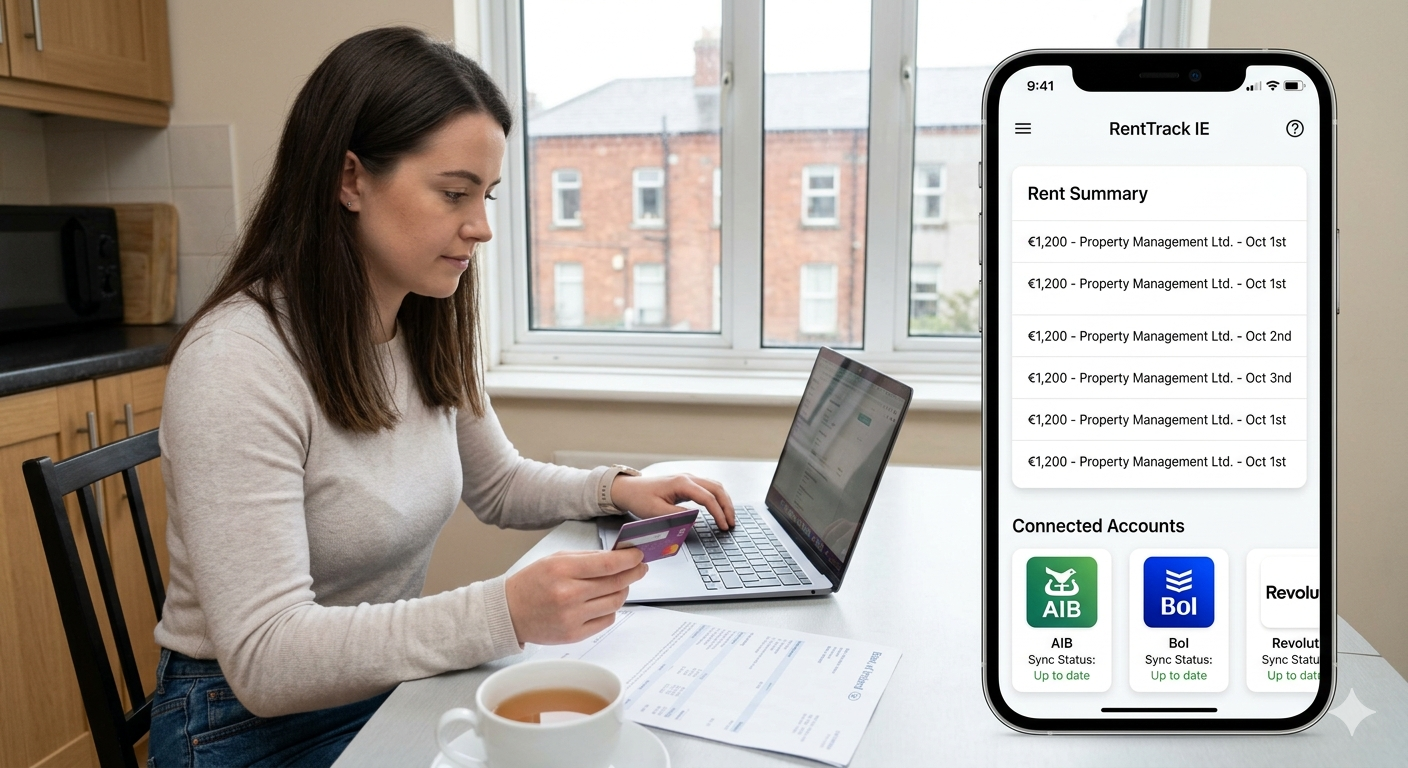
Picture this: it's the 5th of the month. You sit down to check that rent has landed from each of your tenants. You open your online banking, filter by date, and start scrolling. Ten minutes later, you're still not sure whether one payment came in or not — because the description just says "TFR FROM J MURPHY" and you have three tenants with that surname.
This is the daily reality of landlord bank statement analysis in Ireland. And the more properties you manage, the worse it gets.
The Volume Problem
A landlord with five properties might have 60 or more transactions in a single month. Standing orders, utility refunds, maintenance payments, and insurance debits all appear alongside rent credits — with no clear labelling to separate them. Rent itself can be buried three pages deep.
Irregular Payment Patterns
Not all tenants pay on the same day. Some pay weekly, some split a monthly payment into two, some pay a few days early or a week late. A single missed payment — or a split payment you counted twice — can throw off your entire monthly reconciliation.
Bank Statement Noise
Standing orders come in under unpredictable references. Rent paid via a letting agent often arrives with the agent's company name, not the property address. Revolut transfers carry minimal descriptions. The noise-to-signal ratio in a typical Irish landlord's bank account is genuinely high.
RTB and Revenue Implications
Accurate rent records are not just a convenience — they're a legal obligation. Irish landlords need clear rent receipts for RTB registration purposes, and detailed income records for Revenue's Form 11 (self-assessed landlords) or Form 12 (PAYE landlords with rental income). Missing or misidentified payments can trigger queries from Revenue — or make RTB dispute resolution far harder than it needs to be.
The Spreadsheet Trap
Most landlords default to a spreadsheet. The problem with a spreadsheet is that it doesn't read your bank statement — you do. Every figure has to be typed in by hand, copied from a PDF, or manually matched to a CSV export. It is error-prone, time-consuming, and requires starting from scratch each month.
A familiar story
"One landlord told us they spent over two hours reconciling rent from a single month — only to find they'd double-counted one payment and missed another." With four tenants paying on different days, the monthly reconciliation had become a part-time job.
Bank Statement CSV Formats: AIB vs Bank of Ireland vs Revolut
One reason a generic spreadsheet template doesn't solve this problem is that each Irish bank exports its transactions in a different CSV format. The columns are different, the date formats are different, and the way descriptions are written varies considerably.
Here is a quick comparison of the three most common export formats used by Irish landlords:
| Bank | Export path | Date format | Key columns |
|---|---|---|---|
| AIB | Internet Banking → Accounts → Export to CSV | DD/MM/YYYY | Posted Account, Description, Debit, Credit |
| Bank of Ireland | 365 Online → Accounts → Download Transactions → CSV | DD-Mon-YYYY | Date, Description, Debit, Credit, Balance |
| Revolut | App → Account → Statement → CSV (Excel format) | YYYY-MM-DD | Started Date, Completed Date, Description, Amount, Currency |
Building your own Excel template to handle all three formats means maintaining three separate versions — and updating them whenever any bank changes its export layout. The Bank Statement Rent Processor normalises all three formats automatically. You select your bank, upload the file, and the tool handles the rest.
Always export as CSV, not PDF
Bank statement PDFs cannot be parsed by the tool. Always choose the CSV or Excel (XLSX) download option from your bank's online portal or app. If your bank offers both, CSV is preferred.
The Free Bank Statement Rent Processor for Irish Landlords
TenantSync built the Bank Statement Rent Processor specifically for Irish landlords who want a faster, more reliable way to identify rent payments without switching to a full property management platform. It is part of our suite of free landlord tools designed for the Irish market.
What the Tool Does
- Parses your CSV automatically: Upload your file and the tool identifies which format it is based on your bank selection.
- Classifies every transaction: Each row is assigned one of three statuses — Likely Rent, Review Required, or Not Rent.
- Applies confidence ratings: Each transaction receives a score from 0–100% so you can focus your attention on uncertain cases rather than reviewing everything from scratch.
- Flags parse warnings: If any rows have formatting issues — an unusual date, a missing field — the tool flags them separately so nothing slips through unnoticed.
Privacy and Security
No login is required. There is no account creation, no email capture, and no subscription to start. Your CSV is transmitted over an encrypted HTTPS connection and processed in real time. Your file is never stored on any server — it is analysed and discarded immediately after results are generated.
✅ Try the Free Bank Statement Rent Processor
Upload your AIB, Bank of Ireland, or Revolut CSV and see your rent payments identified in seconds. No login. No cost. No data stored.
What Your Results Look Like
Once processing is complete, you'll see a results dashboard with three sections:
- Summary bar: Total rows parsed, count of likely rent transactions, and total gross incoming volume for the period.
- Colour-coded transaction table: Each transaction shows Counterparty, Reference, Amount, Status (Likely Rent / Review Required / Not Rent), Confidence %, and the reasons behind the classification.
- Parse Warnings section (if applicable): Any rows with formatting issues are listed here with a description of the problem.
The results are provided as an indicative preview only. They are not audited records, and the disclaimer is displayed prominently within the tool. For any formal or Revenue-facing financial documentation, use your bank's own certified statements.
How to Use the Bank Statement Rent Processor — Step by Step
Export your CSV from your bank
Log in to your bank's online portal or app and download your transactions as a CSV file for the period you want to analyse.
- AIB: Internet Banking → Accounts → select account → Export to CSV
- Bank of Ireland: 365 Online → Accounts → Download Transactions → choose CSV format
- Revolut: App → Account → Statement → select date range → CSV (Excel format)
Go to the free tool
Open tenantsync.ie/tools/bank-statement-processor in your browser. No account is needed.
Select your bank
Choose AIB, Bank of Ireland, or Revolut from the bank selector. This tells the tool which CSV column structure and date format to expect.
Upload your CSV file
Drag and drop your CSV file onto the upload area, or click to browse your device. The maximum file size is 10 MB — more than sufficient for a year's worth of transactions.
Click "Analyse Transactions"
Press the button to start processing. Parsing and classification takes just a few seconds, even for large files.
Review your results
Use the filter tabs to view Likely Rent, Review Required, or Not Rent transactions separately. The colour coding makes it easy to spot what needs attention.
Check the confidence scores
Each transaction shows a confidence percentage. Anything below 70% is flagged as Review Required. Focus your manual verification on these transactions rather than reviewing everything.
Export or screenshot your results
Save your results for your own reference. Remember: the output is an indicative preview only and is not a substitute for verified financial records. Always keep your original bank statements.
💡 Pro tip
If you manage multiple properties, process each tenant's payment period separately using a filtered date range export — you'll get a cleaner result with fewer false positives. Most online banking portals let you filter by date range before downloading your CSV.
How Does the Rent Detection Algorithm Work?
You don't need to understand the algorithm to use the tool — but knowing what it looks at helps you interpret the results and understand why some transactions score lower than others.
What the Algorithm Analyses
- Transaction descriptions and counterparty names: The tool scans for keywords and patterns commonly associated with rent payments — property addresses, tenant name patterns, and letting-agent references. A payment from "ABC Property Management" will score very highly; a transfer labelled "PAYMENT" will score much lower.
- Amount patterns: Recurring amounts arriving at monthly or weekly intervals are a strong signal. A credit of €1,400 appearing on the 1st of each month is far more likely to be rent than a one-off credit of the same amount.
- Amount ranges: Typical Irish rent ranges by region are factored in. Very low amounts (under €100) or very high amounts (over €10,000) score differently from amounts in the typical monthly residential range.
- Reference text: Phrases like "rent", "monthly payment", "house", "flat", "apartment", or a property Eircode increase the confidence score substantially.
Limitations to Be Aware Of
The tool is powerful, but it is not perfect — and it is designed to be honest about that through the confidence scoring system.
- The tool cannot access your lease agreements, so it does not know the exact expected rent amount for any given property.
- Tenants who pay using unusual references, split payments, or irregular schedules will naturally score lower and appear in the Review Required tab.
- Always verify Review Required transactions manually before including them in any financial record.
- If a tenant's bank transfer reference is entirely generic (e.g., "Transfer"), the tool may classify it as Review Required even if it is clearly rent in context. A quick cross-check with your messages or bank notes will resolve most of these cases.
Frequently Asked Questions
Is this tool really free?
Yes — completely. No subscription, no trial, no email required. It's a free public tool provided by TenantSync to help Irish landlords work more efficiently. Use it as often as you need at tenantsync.ie/tools/bank-statement-processor.
Is my bank statement data safe?
Your CSV is transmitted over an encrypted HTTPS connection and processed immediately. It is never stored, logged, or retained after the results are generated. TenantSync does not have access to your bank account — the tool reads only the file you upload, processes it, and discards it.
Can I use the results as official financial evidence?
No. The results are an indicative preview for your own reference only. They are not audited, certified, or legally binding. For formal financial records — including those required for Revenue Form 11 / Form 12 submissions — consult your accountant or use your bank's official certified statements.
What if the tool doesn't recognise some rent payments?
Check the Review Required tab first — these are transactions the tool is less certain about. You can cross-reference with your lease agreement, your rent schedule, and any messages from your tenant to confirm. If a genuine rent payment consistently scores low, it likely has a generic or unusual reference — this is worth flagging to your tenant so future payments are easier to identify.
Does this work for commercial property rent?
The tool is optimised for residential rent patterns in Ireland. Commercial rent transactions may be detected, but with lower confidence scores, as the amount ranges and payment frequencies differ. For commercial portfolios, manual review of flagged transactions is especially important.
What's the difference between this tool and TenantSync's paid features?
This free tool is a one-off manual check — you export a CSV and upload it each time you want to analyse a period. TenantSync's paid plans automate rent tracking across all your properties: once you set up a lease with the expected rent amount and due date, TenantSync monitors payments, alerts you when they're late or missing, and keeps a full audit trail — without any CSV uploads. View pricing plans to see what's included.
Beyond the CSV: Automate Your Rent Tracking with TenantSync
The Bank Statement Rent Processor solves a real problem. But it still requires a manual step: you export the CSV, you upload it, you review the results. It is much faster than doing it by hand, but it is still a periodic task rather than an automated process.
For landlords who want to move beyond the monthly CSV routine, TenantSync's platform handles rent tracking continuously in the background.
How TenantSync Automates Rent Tracking
- Set up a lease with the expected rent amount, due date, and tenant details — once.
- TenantSync tracks each payment period and alerts you when a payment is late or missing — no manual checking required.
- Automated payment reminders are sent to tenants before the due date, reducing late payments before they happen.
- Every payment is logged in a full audit trail with timestamps — useful for RTB dispute resolution and Revenue queries.
- End-of-year rent income reports are generated automatically, ready for your accountant or Form 11 submission.
What's Included in TenantSync Plans
Pro and Premium plans include automated payment reminders, a tenant portal, RTB registration support, document storage, and a full maintenance ticketing system. All plans come with a 14-day free trial — no credit card needed.
🏠 Ready to stop chasing bank statements?
TenantSync automates rent tracking so you never miss a payment. Set it up once and let it run — with alerts, reminders, and reports built in.
Summary
- Irish landlords can now instantly identify rent payments in their AIB, Bank of Ireland, or Revolut bank statement using TenantSync's free Bank Statement Rent Processor.
- The tool handles different CSV formats automatically and provides confidence ratings for each transaction — so you spend time only on the ones that need a second look.
- Your data is never stored — the file is processed in real time and discarded immediately after results are generated.
- For fully automated rent tracking — no CSV uploads, no manual reconciliation — TenantSync offers a 14-day free trial, no credit card required.
If this tool saved you time this month, share it with a fellow landlord — it's free for everyone.
Related Articles